Cheap International Calls In Your Browser | BubblyPhone Review 2025
Make affordable international calls directly from your browser with BubblyPhone. No downloads needed. Compare rates, features, and learn how browser-based calling saves money.
By Vadim Kouznetsov, published

International calling charges drain wallets faster than almost any other communication expense. Traditional carriers impose rates that can reach $2-3 per minute for calls abroad, transforming brief conversations into expensive luxuries.
Browser-based calling services like BubblyPhone eliminate these inflated costs by routing calls through internet connections rather than traditional phone networks. This fundamental shift reduces per-minute rates by up to 95%, making international communication affordable for regular use rather than occasional emergencies.
How Browser-Based International Calling Works
Browser-based calling operates through Voice over Internet Protocol (VoIP) technology. Instead of using cellular networks or landlines, these services convert your voice into digital data packets that travel across the internet to reach regular phone numbers worldwide.
The process happens seamlessly:
- You access the calling platform through your web browser 2. Enter the international number you wish to call 3. The service connects your internet connection to the recipient’s phone network 4. Your voice transmits as data through internet infrastructure 5. The recipient’s phone rings normally—they don’t need any special setup
This technology has matured significantly. What once delivered choppy, unreliable connections now provides HD-quality voice that often surpasses traditional phone line clarity.
The recipient experiences a normal phone call. They don’t need apps, internet connections, or technical knowledge. Their phone simply rings, and they answer as usual.
BubblyPhone: Making International Calls Without Downloads
BubblyPhone positions itself within the browser-based calling category, emphasising the no-download convenience that defines this service type.
The fundamental value proposition centres on immediate accessibility. Rather than navigating app store downloads, installations, account verifications across multiple devices, and software updates, users simply visit the website and begin calling within minutes.
This approach eliminates several friction points:
Installation Barriers: No storage space requirements, no compatibility concerns, no IT approval needed for workplace computers.
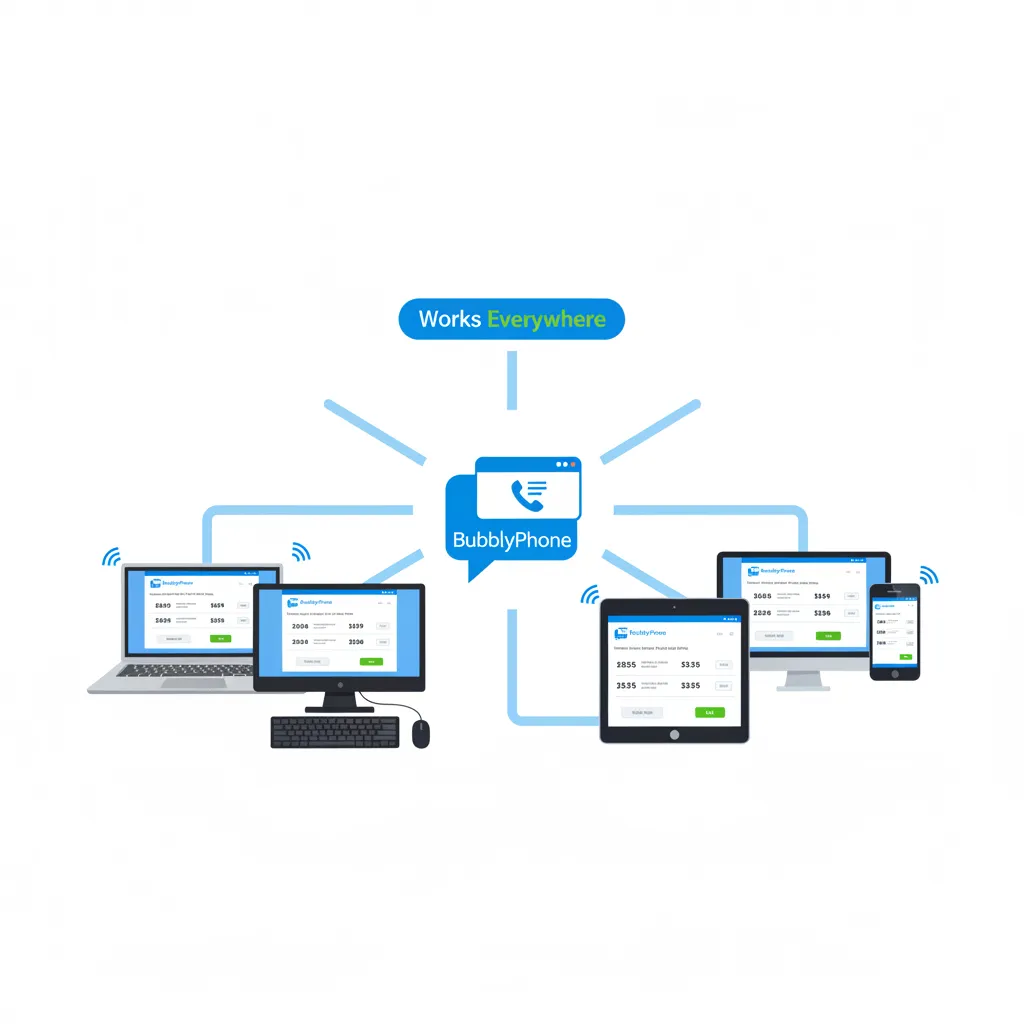
Device Flexibility: Works on any device with a web browser and internet connection—personal laptops, work computers, tablets, library computers, hotel business centres.
Setup Speed: Account creation typically requires under two minutes. No lengthy verification processes or complicated configurations.
Instant Updates: Browser-based platforms update automatically. Users always access the latest version without manual downloads or app store updates.
For individuals who make international calls from various locations or devices, this flexibility proves particularly valuable. You’re not locked to a single device where you’ve installed specific software.
Cost Comparison: Browser Calls vs Traditional Methods
The financial advantage drives adoption for most users. Comparing actual costs across different calling methods reveals substantial savings potential.
Traditional Mobile Carrier: International rates from major carriers typically range $1.50-$3.00 per minute depending on destination and plan. A 30-minute monthly call totals $45-$90.
International Roaming: Even more expensive, often reaching $3-5 per minute when calling from abroad. That same 30-minute call costs $90-$150.
Physical Calling Cards: Improved over carrier rates at $0.30-$1.00 per minute, but still expensive. Additional hidden fees and connection charges often apply. Monthly 30 minutes: $9-$30.
Browser-Based VoIP Services: Rates typically range $0.02-$0.25 per minute depending on destination. Popular routes like calls to India, Philippines, or Pakistan often cost $0.02-$0.05 per minute. Monthly 30 minutes: $0.60-$7.50.
The savings compound dramatically for frequent callers. Someone making 2 hours of international calls monthly might pay $360-$720 annually through traditional carriers versus $14.40-$90 through browser-based services.
These aren’t trivial amounts. For expatriate workers maintaining regular contact with family abroad, or businesses conducting international operations, the annual savings reach thousands of dollars.
Key Features of Browser-Based Calling Platforms
Modern browser calling services share several core features that define the user experience:
Pay-As-You-Go Pricing: Most platforms operate without monthly fees or subscriptions. You add credit to your account ($5-$50 typical minimums) and pay only for actual call minutes used. Credits typically don’t expire, eliminating pressure to use them quickly.
Global Coverage: Reputable services cover 200+ countries and territories. Rates vary by destination, with popular routes receiving the most competitive pricing.
HD Voice Quality: Advanced compression algorithms deliver clear audio that often exceeds traditional phone line quality, assuming stable internet connections.
Call Recording Options: Some platforms offer call recording features for business users or those wanting conversation documentation.
Multiple Number Support: Ability to save and quickly dial frequently called numbers rather than entering digits repeatedly.
Pre-Call Rate Display: Services typically show exact costs before connecting calls, eliminating bill shock.
Web Browser Compatibility: Support for major browsers including Chrome, Firefox, Safari, and Edge across operating systems.
Security and Encryption: Legitimate platforms employ encryption to protect call privacy, though specific implementations vary.
For those exploring online income opportunities in the UAE, understanding cost-effective communication tools helps manage business expenses while maintaining client relationships.
Setting Up Browser-Based International Calling
The setup process follows similar patterns across most browser calling platforms:
Step 1: Visit the Platform
Navigate to the service website through your browser. No downloads or installations required at this stage.
Step 2: Create Account
Register using email address and create password. Some platforms offer social login options through Google or Facebook for faster access.
Step 3: Verify Identity
Most services require email verification. Some may request phone number verification depending on regulatory requirements and fraud prevention measures.
Step 4: Add Credit
Fund your account using credit card, debit card, or PayPal. Minimum amounts typically start at $5-$10. This credit pays for your calls on a per-minute basis.
Step 5: Test Your Connection
Many platforms offer free test calls or heavily discounted first calls to verify audio quality and familiarise you with the interface.
Step 6: Begin Calling
Dial international numbers using standard format: country code + area code + number. The interface typically guides you through proper formatting.
Total setup time: 5-10 minutes for most users. No technical expertise required—if you can use a website, you can use these services.
When Browser-Based Calling Makes Sense
This communication method suits specific use cases better than others. Understanding whether it fits your situation helps you make informed decisions.
Ideal Situations:
Regular International Calls: Weekly or daily conversations with family, friends, or business contacts abroad. The cost savings justify the minor inconvenience of using a browser rather than your phone’s native dialer.
Predictable Calling Locations: Calls made primarily from home, office, or other locations with reliable internet access.
Budget-Conscious Communication: Priority on minimising costs over seamless integration with your phone’s native features.
Multiple Device Usage: Need to make international calls from various computers without app installations.
Business Operations: Companies with international client bases or remote teams across countries.
Travel Situations: Making calls while abroad without incurring roaming charges, assuming WiFi availability.
Less Ideal Situations:
Emergency Calls: Traditional phone service remains more reliable for emergencies when seconds matter and internet might be unavailable.
Unreliable Internet: Locations with poor connectivity produce choppy, unusable call quality through VoIP services.
Mobile-First Users: If you primarily call while mobile (walking, commuting, shopping), traditional mobile service or VoIP apps prove more practical than browser-based options.
Occasional Callers: Making one international call annually doesn’t justify setup time. Traditional carrier rates, while expensive, make sense for rare usage.
Those managing digital businesses in the UAE often find browser-based calling particularly valuable for maintaining international supplier and client relationships without excessive communication costs.
Audio Quality Considerations
VoIP call quality depends heavily on internet connection stability and bandwidth availability. Understanding these factors helps set realistic expectations.
Minimum Requirements:
- Download speed: 100 kbps – Upload speed: 100 kbps – Latency: Under 150ms – Stable connection without frequent drops
These represent minimum thresholds. Better connections produce noticeably superior audio quality.
Optimal Conditions:
- Download speed: 500+ kbps – Upload speed: 500+ kbps – Latency: Under 50ms – Wired Ethernet connection (preferred over WiFi)
Modern broadband connections typically exceed these requirements comfortably. Even standard home WiFi usually provides sufficient bandwidth for clear calls.
Factors Affecting Quality:
Network Congestion: Heavy internet usage by other household members (streaming 4K video, large downloads) competes for bandwidth and may degrade call quality.
Distance to Servers: Calls routing through geographically distant servers experience higher latency, potentially causing delays or echoes.
Hardware Quality: Cheap microphones or speakers introduce audio problems unrelated to internet connection. Decent headsets dramatically improve experience.
Browser Performance: Resource-heavy browsers with dozens of open tabs may struggle with real-time audio processing. Closing unnecessary tabs helps.
Most users report call quality meeting or exceeding traditional phone lines when using modern broadband connections. The technology has matured beyond early VoIP’s reputation for unreliable audio.
Security and Privacy Concerns
Transmitting voice conversations through internet connections raises legitimate privacy questions. Understanding how platforms handle security helps you make informed choices.
Encryption Standards: Reputable services employ end-to-end encryption for call audio, preventing interception during transmission. Verify whether your chosen platform explicitly states their encryption implementation.
Data Storage: Some platforms record call metadata (numbers dialled, duration, timestamps) for billing and service improvement. Review privacy policies to understand what data is collected and retained.
Payment Security: Adding credit requires sharing payment information. Ensure platforms use secure payment processors (Stripe, PayPal, or similar established services) rather than handling credit cards directly.
Account Security: Strong passwords and two-factor authentication (when available) protect your account from unauthorised access. Compromised accounts could result in fraudulent calls charged to your credit balance.
Regulatory Compliance: Legitimate services comply with telecommunications regulations in their operating jurisdictions. This compliance provides some baseline consumer protection.
Third-Party Access: Understanding whether platforms share data with advertisers or other third parties matters for privacy-conscious users.
No communication method provides absolute privacy. However, encrypted VoIP through reputable providers offers reasonable security for typical conversations. Highly sensitive discussions warrant more secure communication methods.
Comparing Browser Calling Services
Multiple platforms offer similar browser-based calling functionality. While specific features vary, most share core capabilities. Key differentiation factors include:
Rate Structures: Per-minute costs vary between services and destinations. Some platforms offer better rates to specific countries based on their network partnerships.
Minimum Credit: Required initial deposits range from $5-$25. Lower minimums reduce financial commitment for testing services.
Credit Expiration: Most platforms offer non-expiring credits, but verify this before adding funds. Some services implement expiration after 6-12 months of inactivity.
Interface Design: User experience varies significantly. Some platforms offer clean, modern interfaces whilst others appear dated or cluttered.
Customer Support: Response times and support quality differ. Look for services offering multiple support channels (email, chat, phone).
Additional Features: Some platforms add value through features like call recording, voicemail, virtual phone numbers, or conference calling.
Mobile App Availability: Whilst this article focuses on browser-based calling, some users appreciate having mobile app options for flexibility.
Testing multiple services with minimum credit amounts helps identify which platform best suits your specific needs and preferences.
Frequently Asked Questions
Do recipients need special equipment to receive calls?
No. Recipients receive calls on regular phones—mobile or landline—without any special setup, apps, or internet connection. They simply answer normally and won’t necessarily know you’re calling through a browser.
What internet speed do I need for clear calls?
Minimum 100 kbps upload and download speeds work, but 500+ kbps provides better quality. Most modern broadband and even basic WiFi connections exceed these requirements comfortably.
Can I call emergency services through browser-based platforms?
No. These services are not designed for emergency calls. Always use traditional phone service (mobile or landline) for emergency situations where reliability matters most.
Why are browser-based calls so much cheaper?
They bypass traditional telephone infrastructure and carrier fees. Calls route through internet connections, which cost providers significantly less than maintaining phone network access, allowing them to pass savings to users.
Will my number show up when I call?
This varies by service. Some display your number, others show as “Unknown” or international number, and some offer options to choose displayed number. Check your specific platform’s settings.
Can I use this while travelling internationally?
Yes, assuming you have internet access. This avoids international roaming charges from your mobile carrier. WiFi at hotels, airports, or cafes works perfectly.
What happens if my internet connection drops mid-call?
The call disconnects. Most platforms allow you to redial easily, and you’re only charged for connected time, not the dropped portion.
Further Reading
The UAE week, every Monday
The week's stories on jobs, visas, money and daily life in one short email. Unsubscribe in one click.