Dubai Travel Ban Check 2026: How to Verify and Lift Restrictions Online
Check and lift Dubai travel bans online via Dubai Police app. Rental dispute bans now removed in seconds. Step-by-step guide with UAE Pass login.
By Vadim Kouznetsov, published
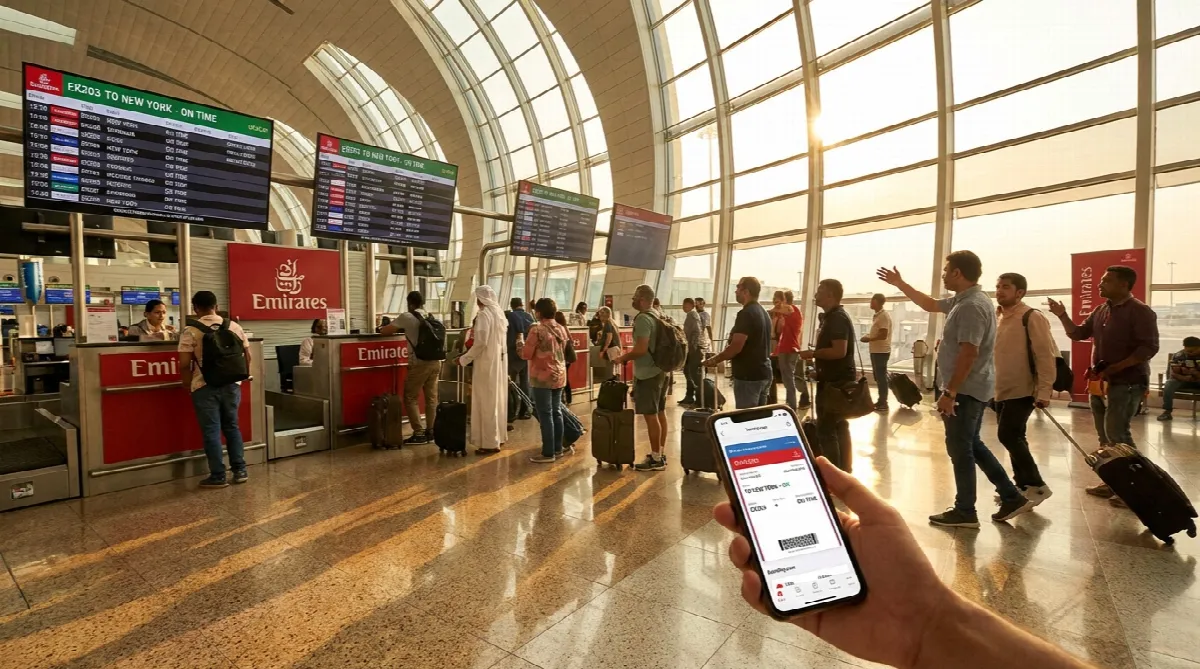
Dubai Police has upgraded its digital service for checking and lifting travel bans. Residents can now verify their status, identify the issuing authority and settle outstanding amounts within seconds—all without visiting a government office.
The “Inquiry About Circulars and Travel Bans” service allows users both inside and outside the UAE to resolve rental-related financial disputes entirely online.
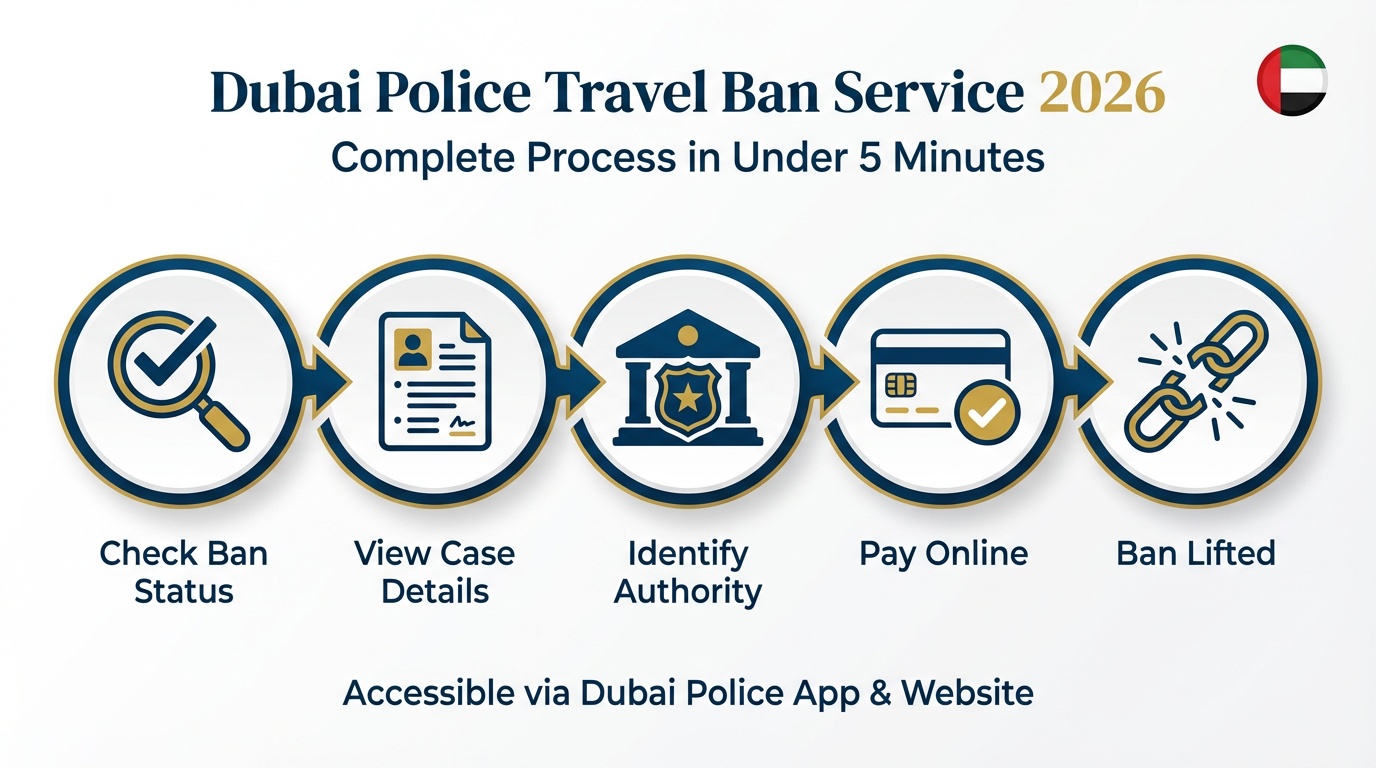
What Changed With the Dubai Police Service?
Previously, removing a travel ban required formal applications, in-person visits and manual reviews by multiple authorities. The upgraded system eliminates these steps completely.
Dubai Police announced the update during a press conference on 23 January 2026. Once eligible payments are completed online, the travel ban lifts automatically within seconds.
This digital upgrade aligns with the UAE’s Zero Government Bureaucracy programme, which aims to reduce processing times and eliminate unnecessary administrative steps.
How Can You Access the Service?
The service is available through two official channels:
| Platform | Access Method |
|---|---|
| Dubai Police Smart App | Download from App Store or Google Play |
| Dubai Police Website | Visit the official portal |
Both options require UAE Pass login for secure verification.
What Can You Do Through This Service?
The enhanced enquiry system allows users to:
- Check for travel bans – View any restrictions or circulars registered against your Emirates ID
- View case details – See full information about the case linked to your ban
- Identify the issuing authority – Know which department imposed the restriction
- Pay outstanding amounts – Settle financial obligations digitally
- Receive instant notifications – Get alerts about any registered restrictions
Once you complete payment electronically, the system removes the travel ban automatically.
Which Cases Does the Service Cover?
In its first phase, the service covers travel bans and circulars issued by the Rental Dispute Settlement Centre. Individuals with rental-related financial claims can now resolve their cases entirely online.
Dubai Police confirmed coordination is underway with Dubai Courts and the Public Prosecution to integrate bans issued by both authorities in future phases. This expansion will provide wider coverage across civil and criminal cases.
What Is a Travel Ban in the UAE?
A travel ban is a legal restriction preventing an individual from leaving the country. These restrictions fall into two categories: civil and criminal.
Civil Travel Bans
Civil bans typically arise from financial disputes. A creditor may request a travel ban after obtaining a court judgment for:
- Unpaid rent or rental disputes
- Outstanding loans
- Bounced cheques
- Credit card debt
The process works as follows: once a judgment is issued, the creditor opens an execution case. If the debtor fails to comply with the execution notice, the creditor can request a travel ban to reduce the risk of the person leaving without settling the debt.
Under Federal Decree-Law No. 42 of 2022, a creditor can request a travel ban when the debt exceeds AED 10,000 and there are grounds to believe the debtor intends to leave the UAE without paying.
Criminal Travel Bans
Criminal travel bans are imposed in cases including:
- Pending police investigations
- Serious traffic offences such as reckless driving
- Other criminal offences under UAE law
These bans remain in place until investigations complete or legal proceedings conclude.
Why This Matters for UAE Residents
The initiative helps residents and visitors move freely, complete official transactions smoothly and avoid last-minute surprises during busy travel periods.
Before this upgrade, residents often discovered bans only at the airport—sometimes from disputes they had forgotten about or believed resolved. The digital service eliminates this uncertainty by providing instant status checks.
For those with credit card debt concerns, the ability to verify and resolve issues before booking flights removes significant stress from travel planning.
Step-by-Step: How to Check Your Travel Ban Status
- Download the Dubai Police app or visit the official website
- Log in using your UAE Pass credentials
- Navigate to “Services”
- Select “Circulars and Travel Bans”
- View any active bans or circulars linked to your Emirates ID
The entire process takes less than five minutes.
Frequently Asked Questions
How do I check if I have a travel ban in Dubai?
Download the Dubai Police app or visit their website. Log in with UAE Pass, navigate to Services, and select “Circulars and Travel Bans.” The system instantly displays any active restrictions linked to your Emirates ID.
Can I lift a travel ban online in Dubai?
Yes. For rental-related bans covered by the Rental Dispute Settlement Centre, you can pay outstanding amounts through the Dubai Police service. Once payment completes, the ban lifts automatically within seconds.
Which travel bans can be lifted through the Dubai Police service?
Currently, the service covers travel bans and circulars issued by the Rental Dispute Settlement Centre. Future phases will include bans from Dubai Courts and the Public Prosecution.
What is the minimum debt amount for a travel ban in the UAE?
Under Federal Decree-Law No. 42 of 2022, creditors can request a travel ban for civil debts exceeding AED 10,000. Smaller debts may still lead to legal action but typically not travel restrictions.
Do traffic fines cause travel bans in the UAE?
Standard traffic fines such as speeding tickets or parking fines do not automatically trigger travel bans. However, serious offences like reckless driving or hit-and-run incidents can result in criminal travel bans.
Can I check for travel bans outside the UAE?
Yes. The Dubai Police service is accessible to users both inside and outside the UAE. You need UAE Pass login to access the service remotely.
Further Reading
The UAE week, every Monday
The week's stories on jobs, visas, money and daily life in one short email. Unsubscribe in one click.