Digital Hygiene: Apps That Can Get You Stopped at Airport 2025
Airport security now checks phones for risky apps. Learn which apps trigger delays and how to prepare your smartphone before international travel.
By Vadim Kouznetsov, published
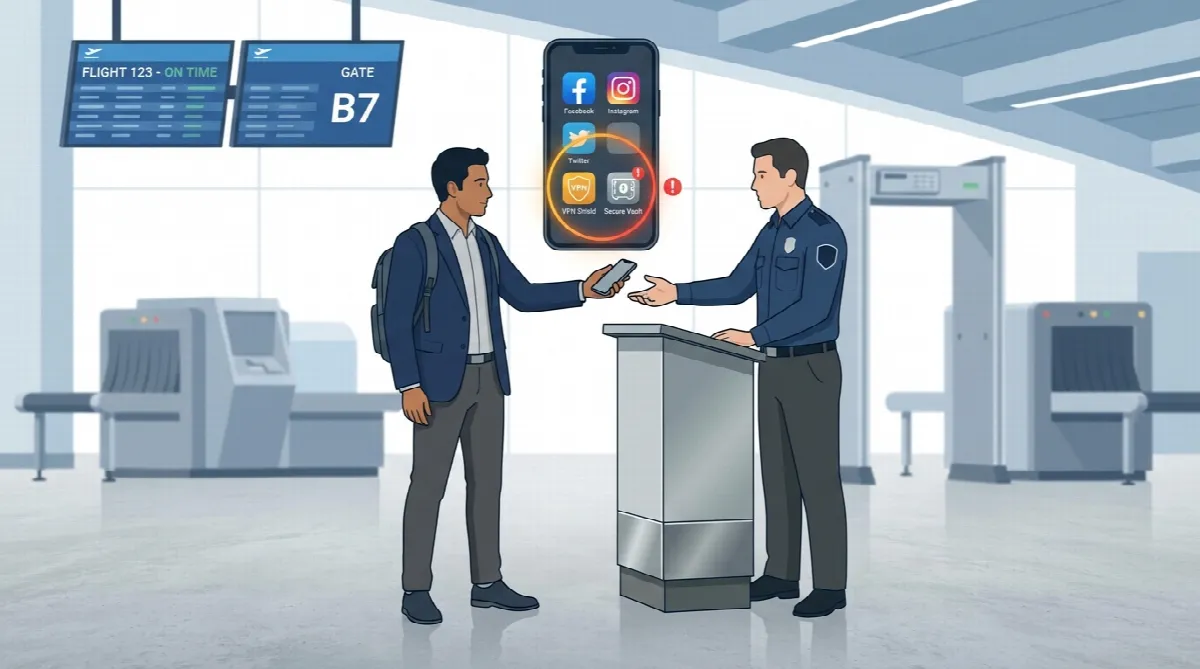
Key Takeaway: Airport security worldwide now examines smartphones for digital red flags. Travellers should delete risky apps, use official airline applications, and sanitise photo galleries before flying to avoid delays, missed flights, or legal complications.
Planning your winter holiday? You’ve probably checked your passport, packed your bags, and confirmed your flight. But have you cleaned your phone?
A Dubai-based cybersecurity expert warns that certain smartphone apps can trigger suspicion, cause delays, or even lead to legal trouble at international border crossings. The days of passport-only security checks are over.
Why Airport Security Now Checks Your Phone
Security agencies no longer search just for physical contraband. They now treat information stored on personal devices as potential threats.
Rayad Kamal Ayub, technologist and managing director of UAE-based Rayad Group’s immigration company, told Khaleej Times: “Electronic device examinations at borders are on the rise, with officers searching not just for physical contraband but for digital ‘red flags’ that may indicate illegal intent or risky behaviour.”
Even innocent travellers face scrutiny if their devices contain unsecured apps or suspicious software. This shift represents a fundamental change in how border authorities assess risk.
Understanding UAE VPN laws becomes essential for anyone travelling through the region.
Real Cases: How Apps Caused Airport Delays
These situations actually happened:
The Senior Couple and CBD Apps
A senior couple returning from a trip was randomly selected for a bag check. When the officer asked the man to unlock his phone, he found a folder containing dispensary apps, including a prescription for cannabidiol (CBD). Officers suspected him of trafficking across state lines. They thoroughly searched his luggage and brought in dogs. Nothing illegal was found, but the couple missed their connecting flight.
The Retired Teacher and the Vault App
A retired teacher had a digital vault app installed by her grandson to protect her banking information. At customs, she was held for four hours because she couldn’t remember the vault app password. Officers suspected the app concealed something illegal. She missed her flight entirely.
Before travelling, always check for UAE travel bans to avoid additional complications at the airport.
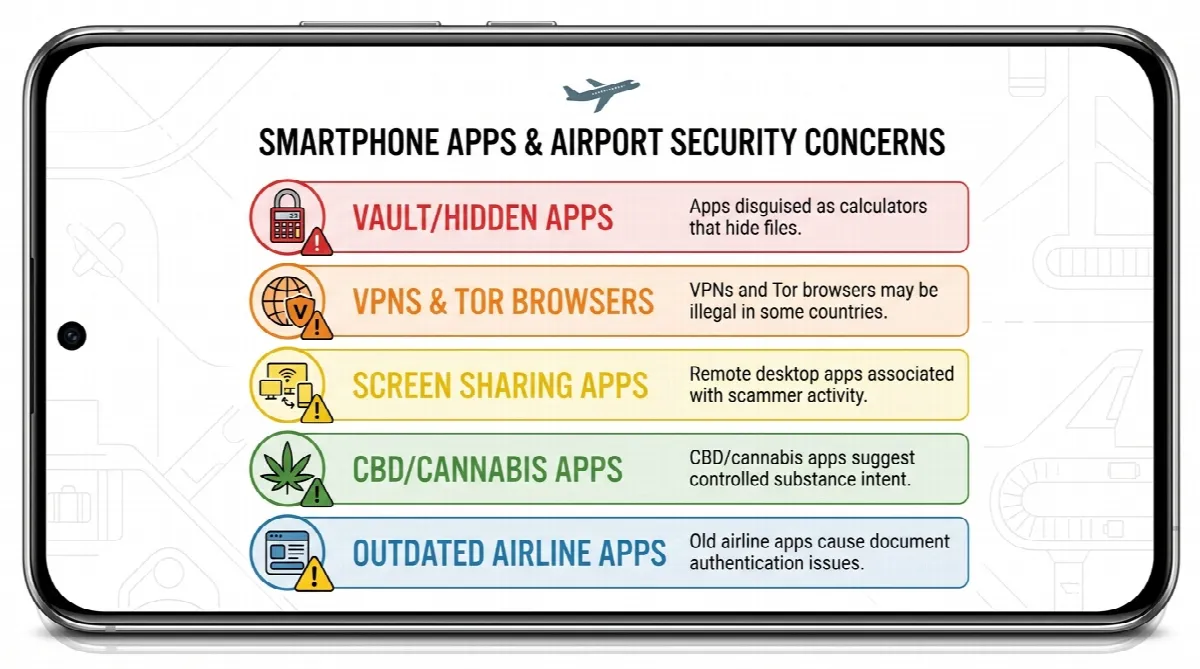
Five App Categories That Raise Security Concerns
Ayub identified these app types that commonly trigger additional screening:
1. Vault and Hidden Photo Apps
Apps designed to hide photos or files—often disguised as calculators—raise immediate suspicion. Security professionals associate these with criminal activity, regardless of your actual intentions.
2. VPNs and Tor Browsers
While useful for privacy, these tools are illegal in some countries and may suggest attempts to obscure activity. The UAE has specific VPN usage guidelines that travellers must understand.
3. Remote Desktop and Screen-Sharing Apps
Scammers commonly exploit these applications. Their presence on your device—especially if you’re a senior traveller—can make you a target for extra scrutiny.
4. Cannabis and CBD Apps
Even if legal in your home country, apps like Weedmaps or Leafly can be viewed as evidence of intent to possess controlled substances. This can trigger invasive searches regardless of whether you’re carrying anything.
5. Outdated or Third-Party Airline Apps
These can malfunction at checkpoints, causing delays and raising questions about the authenticity of your travel documents. Always use official airline applications.
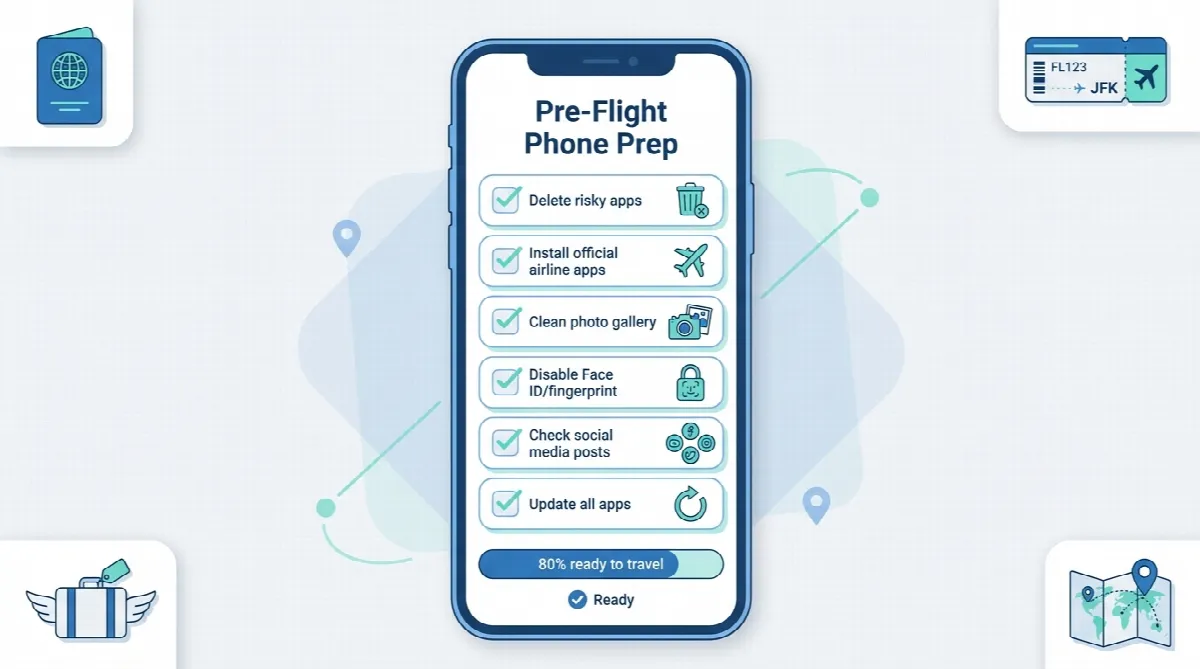
Practical Steps Before You Travel
Ayub offers this advice for a smoother journey:
Delete or hide risky apps before travel. Remove any application that might raise questions. You can reinstall after your trip.
Use official airline and airport apps. Download applications directly from Emirates, Etihad, or your carrier’s official app store listing. Check our Dubai airport travel guidelines for arrival preparation.
Sanitise your photo gallery. Remove screenshots of sensitive information and disable auto-save features in messaging apps.
Temporarily disable biometric unlock features. Switch off Face ID or fingerprint unlock before security checks. This provides an additional layer of protection.
Avoid posting travel plans publicly. Social media posts announcing your departure can create security concerns. Review our guide on UAE social media laws before posting.
Consider travelling with a clean phone. For countries with strict digital laws, a device with only essential apps reduces risk significantly.
Your Rights at Border Crossings
Here’s an important reality check: while travellers have protections against unwarranted searches in many domestic situations, these rights are significantly reduced at international borders.
Officers can demand device access and passcodes. Refusing can result in denied entry, extended detention, or device confiscation.
Ayub summarises the situation clearly: “Digital hygiene is now as important as packing your suitcase.”
Be a “Boring Tourist”
The best strategy? Keep only essential and official apps on your device. Leave no digital red flags for security to find.
Before your next trip through Dubai International Airport, take 30 minutes to audit your smartphone. Delete apps you don’t need. Remove suspicious-looking software. Clear your photo gallery of anything that might raise questions.
This small investment of time can save you hours of delays, missed flights, and potential legal complications.
Frequently Asked Questions
Can airport security legally search my phone?
At international border crossings, yes. Border officers have expanded authority to examine electronic devices. While domestic protections exist, these rights are significantly reduced at borders where officers can demand device access and passcodes.
What happens if I refuse to unlock my phone at airport security?
Consequences vary by country but can include denied entry, extended detention, device confiscation, or being placed on a watchlist for future travel. Cooperation typically results in faster processing.
Are VPNs illegal when travelling through the UAE?
VPNs are not outright banned in the UAE but are heavily regulated. Using a VPN for legitimate purposes like securing business communications is permitted. Misuse can result in fines up to Dh2 million.
Which apps are safe to keep on my phone when travelling?
Official airline apps, airport apps, maps, weather, and mainstream social media applications typically don’t raise concerns. Avoid vault apps, VPNs (unless essential for work), remote access software, and any application associated with controlled substances.
How do I prepare my phone for international travel?
Delete risky apps, sanitise your photo gallery, disable auto-save in messaging apps, consider temporarily disabling biometric unlock, and avoid posting travel plans publicly. Install only official airline and airport apps.
Can old apps on my phone cause problems at security?
Yes. Outdated or third-party airline apps can malfunction at checkpoints, causing delays and raising questions about your travel document authenticity. Update all apps before travel or delete ones you no longer use.
Further Reading
- VPN in UAE: Legal Guidelines & Regulations for Safe Usage
- UAE Travel Guide: Declaring Medication at Customs
- How to Check if You Have a Travel Ban in the UAE
- UAE Social Media Laws 2025: Comments Can Lead to Dh500k Fines
Note: This information reflects current security practices as of 2025. Regulations and enforcement procedures may vary by country. Always verify specific requirements before international travel.
The UAE week, every Monday
The week's stories on jobs, visas, money and daily life in one short email. Unsubscribe in one click.