iOS 18: Complete Guide to New Features and AI Integration
Discover iOS 18’s personalisation features, privacy enhancements, and upcoming AI integration. Learn how Apple’s latest update transforms your iPhone experience.
By Vadim Kouznetsov, published
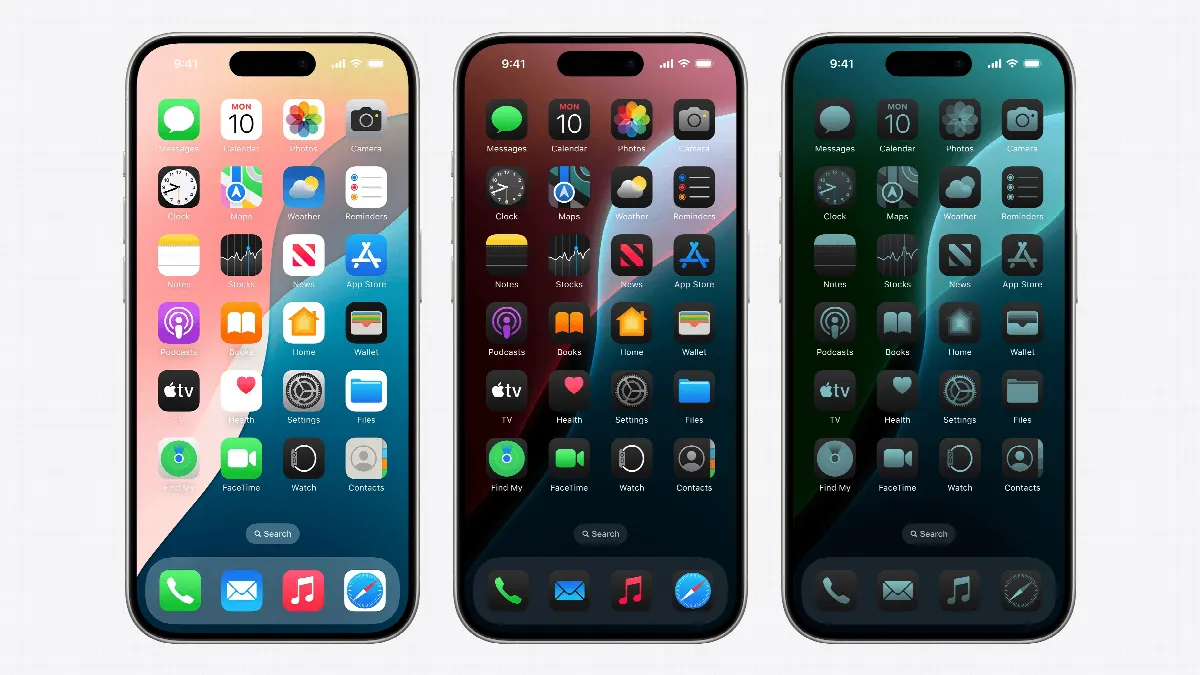
Apple’s latest software update, iOS 18, has arrived, bringing a host of new features and improvements to iPhone users worldwide. While the much-anticipated AI technology isn’t part of this initial release, iOS 18 still offers significant enhancements in personalisation, privacy, and user experience.
Key Features of iOS 18
1. Customisable Home Screen Icons
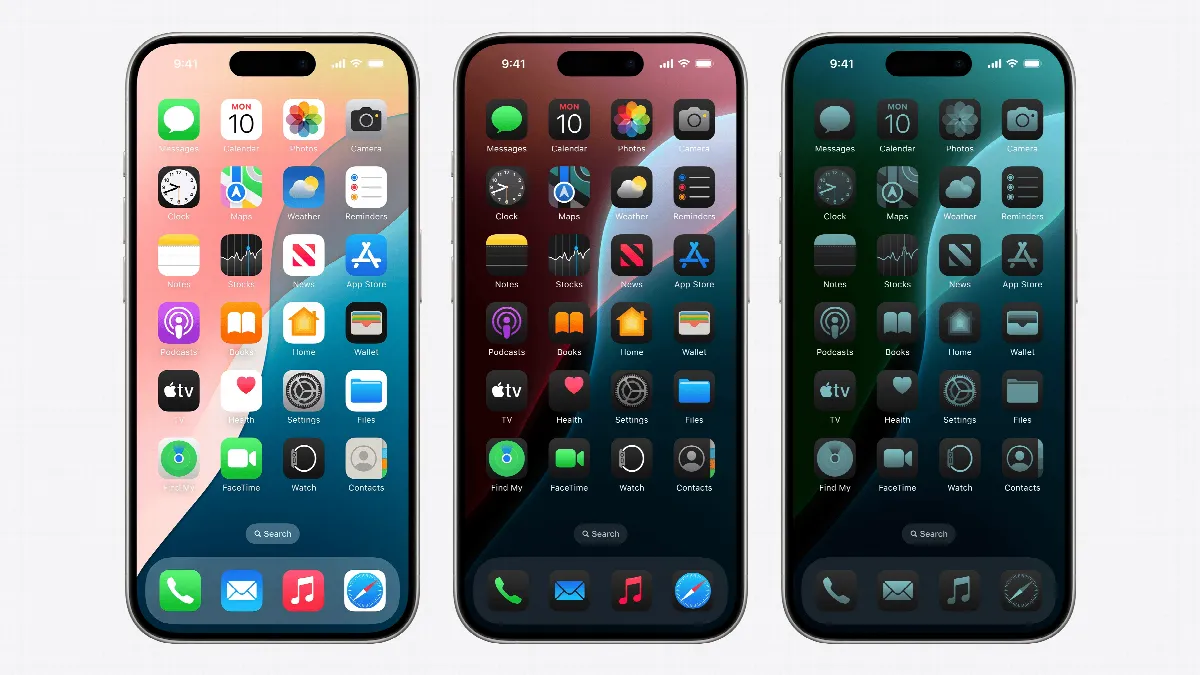
iOS 18 introduces a new level of Home Screen customisation. Users can now:
- Place icons anywhere on the grid
- Resize icons, with larger icons hiding text labels
- Switch to dark mode or apply custom tints to icons
- Use third-party custom icons (availability may vary by app)
This feature is particularly appealing to younger users who embraced custom icons with iOS 14’s release.
2. Revamped Control Center
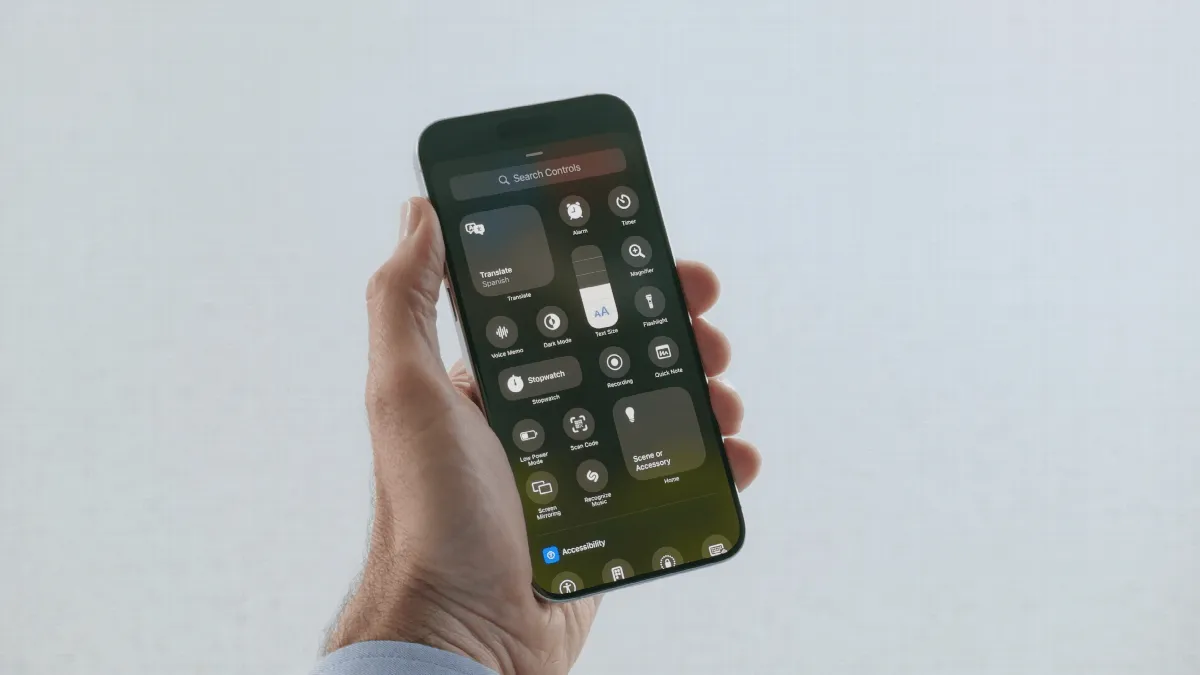
The Control Center has undergone a significant overhaul:
- Four default pages: favourites, music controls, home, and connectivity
- Fully customisable layout
- Add or remove pages and icons to suit your needs
3. Lock Screen App Shortcuts
Users can now replace default Lock Screen shortcuts with their preferred apps. For example, you could swap the camera button for a third-party camera app like Obscura or Halide.
4. Enhanced Privacy Features
iOS 18 introduces new privacy measures:
- Lock apps behind Face ID, Touch ID, or a passcode
- Hide locked apps from the Home Screen
- Access hidden apps through a new folder in the App Library
5. Redesigned Photos App
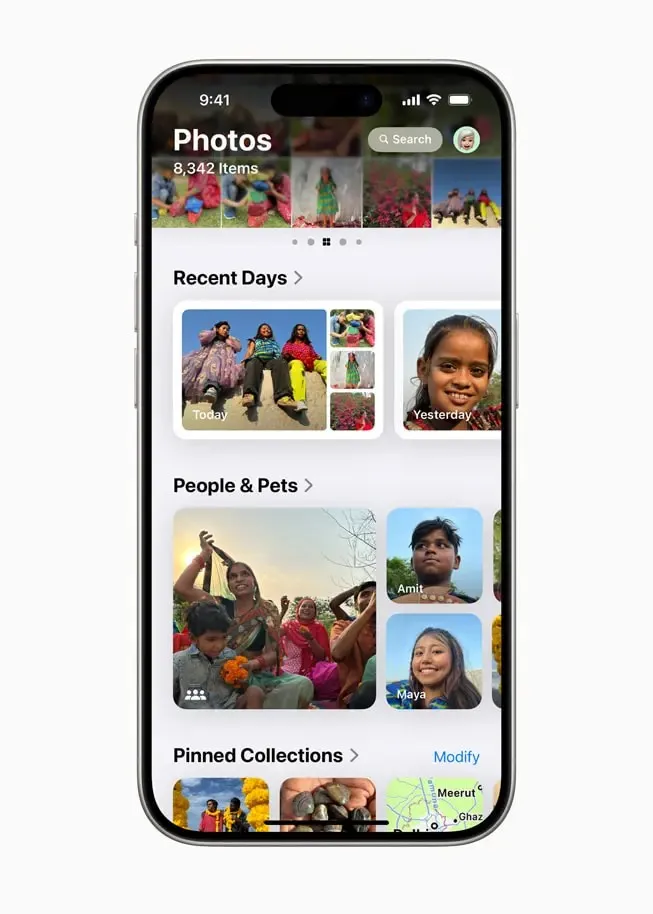
The Photos app has been reimagined with a single-page design, featuring:
- New collection folders like Recent Days, People & Pets, and Trips
- Customisable visibility and order of items
- Emphasis on surfacing diverse photos from your library
6. RCS Support
Apple has added support for Rich Communication Services (RCS), improving messaging between iPhone and Android users:
- Send and receive high-quality media
- Get typing indicators and read receipts
- Messages from Android users still appear as green bubbles
7. Enhanced Phone App
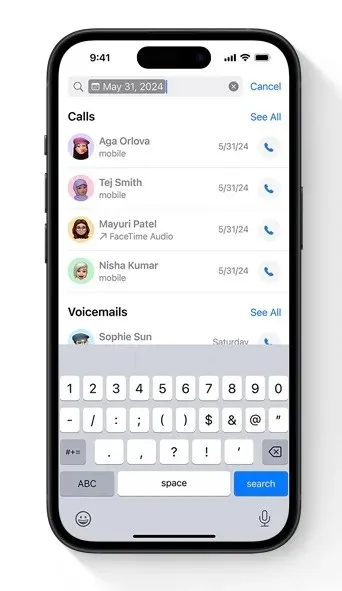
The Phone app now offers:
- Improved search functionality for call logs
- Number pad contact search
- SIM card switching during calls
- Live voicemail transcription in 12 new languages and regions
8. New Passwords App
iOS 18 introduces a dedicated Passwords app, making credential management more accessible and secure.
9. Additional Updates
- Message scheduling
- Multilingual and multiscript keyboard support
- Hindi support in the Translation app
- Collapsible sections and audio transcriptions in Notes
- Advanced math equation support in Calculator
Apple Intelligence: The Next Chapter
While not included in the initial iOS 18 release, Apple Intelligence features are set to roll out in the coming months:
- Initial release in October for U.S. English
- Gradual expansion to other English-speaking countries
- Support for additional languages in 2025
Apple Intelligence will introduce AI-powered writing tools, notification summaries, email summaries, and photo editing capabilities. However, these features will be limited to iPhone 15 Pro, iPhone 15 Pro Max, and all iPhone 16 models.
Compatibility and Availability
iOS 18 is available for download on compatible iPhone models. To check if your device is eligible for the update, go to Settings > General > Software Update.
As Apple continues to refine and expand iOS 18’s capabilities, users can look forward to a more personalised, intelligent, and seamless iPhone experience. Stay tuned for further updates as Apple Intelligence features begin to roll out in the coming months.
The UAE week, every Monday
The week's stories on jobs, visas, money and daily life in one short email. Unsubscribe in one click.